Geek Uninstaller 快速上手:从下载到卸载全流程
一步步带你完成 Geek Uninstaller 的下载、启动和首次使用,了解界面布局和基本卸载操作。
卸载教程、清理技巧与常见问题解答,帮你轻松掌握 Geek Uninstaller 的全部功能。
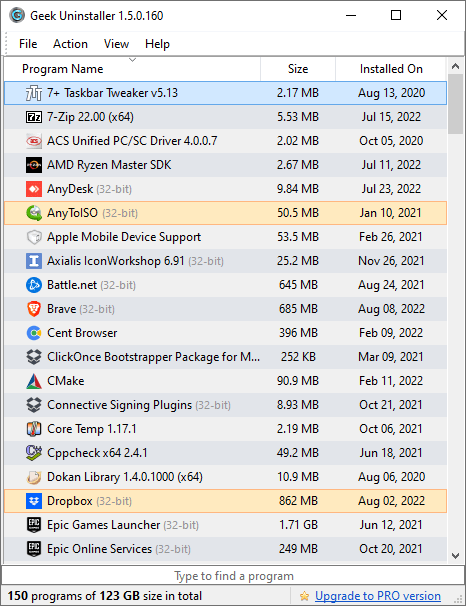
一步步带你完成 Geek Uninstaller 的下载、启动和首次使用,了解界面布局和基本卸载操作。
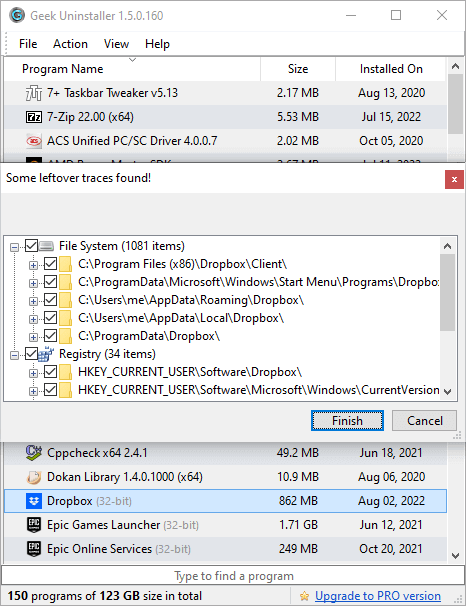
详解 Clean Removal 功能的工作原理,教你如何确保卸载后不留任何注册表残余和垃圾文件。
当程序无法通过正常方式卸载时,Force Removal 功能就派上用场了。本文详解强力卸载的使用场景和操作方法。
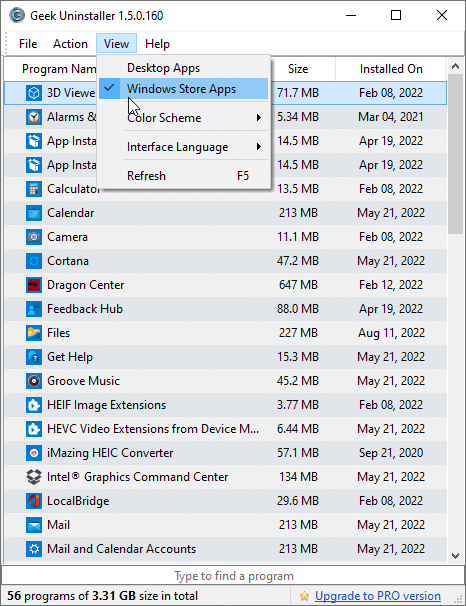
Windows 10/11 预装了大量商店应用,教你如何使用 Geek Uninstaller 轻松卸载不需要的微软商店应用。
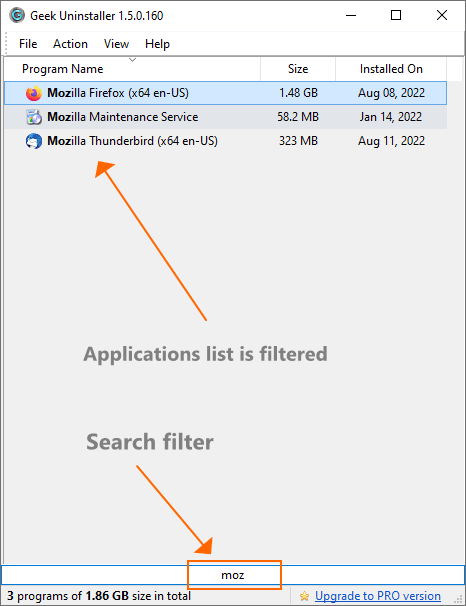
即时搜索、排序筛选、右键菜单、注册表跳转等实用技巧,让你的卸载操作更加高效。
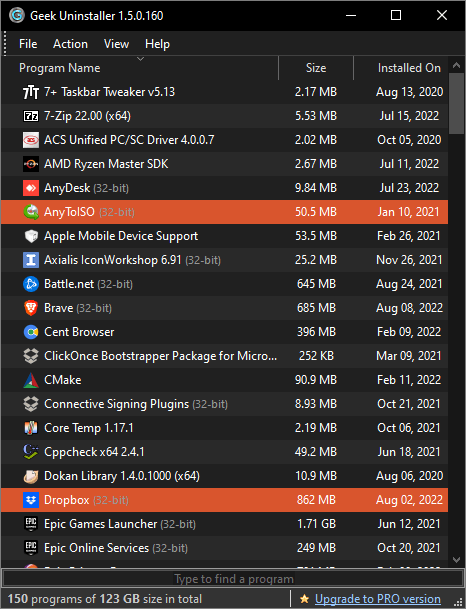
了解如何开启暗色模式,以及 Geek Uninstaller 提供的各种界面自定义选项,打造专属使用体验。
从功能、体积、性能、便携性等维度对比 Geek Uninstaller 与 Revo Uninstaller、IObit Uninstaller 等主流卸载工具。
系统越用越慢?教你如何识别并卸载占用大量磁盘空间的无用程序,让电脑恢复流畅。
对比 Geek Uninstaller 免费版与 Pro 版(Uninstall Tool)的功能差异,帮你决定是否需要升级。